IT Experience
Showing posts with label
Password Policy
.
Show all posts
Showing posts with label
Password Policy
.
Show all posts
Monday, March 7, 2016
How to change password policy in Domain Controller
Applies to Windows 2012
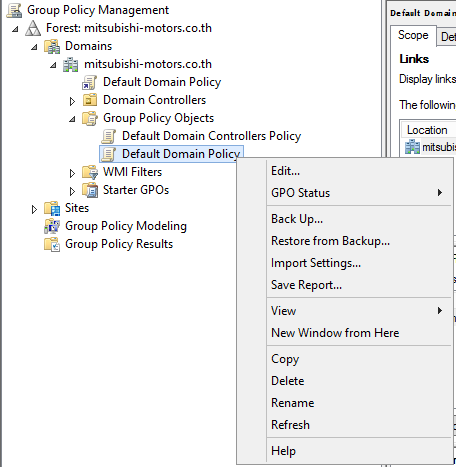
Click Group Policy Management on Start Screen or MMC snap-in
Right Click on Default Domain Policy then select Edit...
Change Password Policy that you want.
Changes take effect when click OK
Older Posts
Home
Subscribe to:
Posts (Atom)